Template 02
Account & Footnote Support Workpaper
The general workpaper for any balance-sheet account or footnote without a purpose-built workbook: detail support with a source, source type and tickmark for every number, a rollforward, and a TB → face of FS → footnote → MD&A bridge with control checks.
Tab structure
- Instructions
- Setup (with workpaper header)
- Summary & Tie-out
- Detail – one row per number in the note: per filing, per source, difference, result, source type, source, tickmark, highlight, risk flag, reviewer tick
- Rollforward & Bridge – beginning, additions, deductions, other, ending; TB → reclasses → top-sides → face of FS → footnote → MD&A; controls C1–C6 that must read Tied
- Judgments
- Completeness & Controls
- Open Items
- Sign-offs & Refs
- Tickmarks
- Lists
Built on the common workpaper framework – see the templates overview.
Key checks and flags
- Control checks: rollforward ending = face of FS; face of FS = filing draft; footnote table and MD&A = face of FS; beginning balance = prior year-end balance per the last 10-K; for a 10-K, comparative-year ending = that same balance
- Each control reads Tied, Investigate or Missing – a blank input never passes
- Variances above your $ / % threshold show EXPLAIN until explained; variances at or above materiality are marked material
- Items at or above the highlight threshold and risk flags (related party, subsequent event, SEC comment, non-GAAP) surface in a reviewer-attention box
- Conclusion reads SUPPORTED only when controls tie, the draft amounts agree, cross-references to the footnote, MD&A and disclosure checklist are agreed, and open items, procedures and judgment refs are complete
Who uses it
Preparers and reviewers of account and footnote support; auditors reviewing the binder.
Primary sources
Previews
Rendered from the actual workbook with illustrative sample data ("Example Company, Inc.", period end December 31, 2026). Scroll sideways on small screens.
Summary & Tie-out
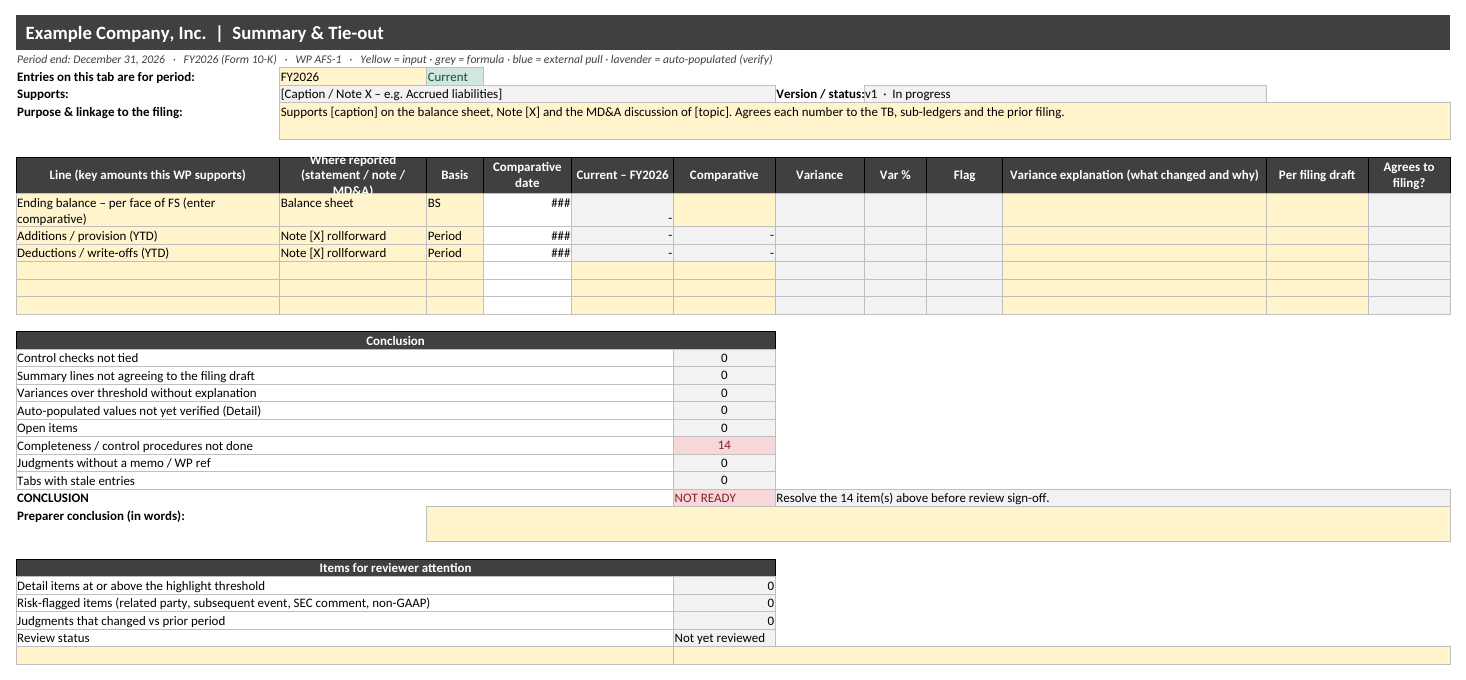
Summary & Tie-out tab: key amounts, comparatives, variance flags and the SUPPORTED / NOT READY conclusion.
Rollforward & Bridge
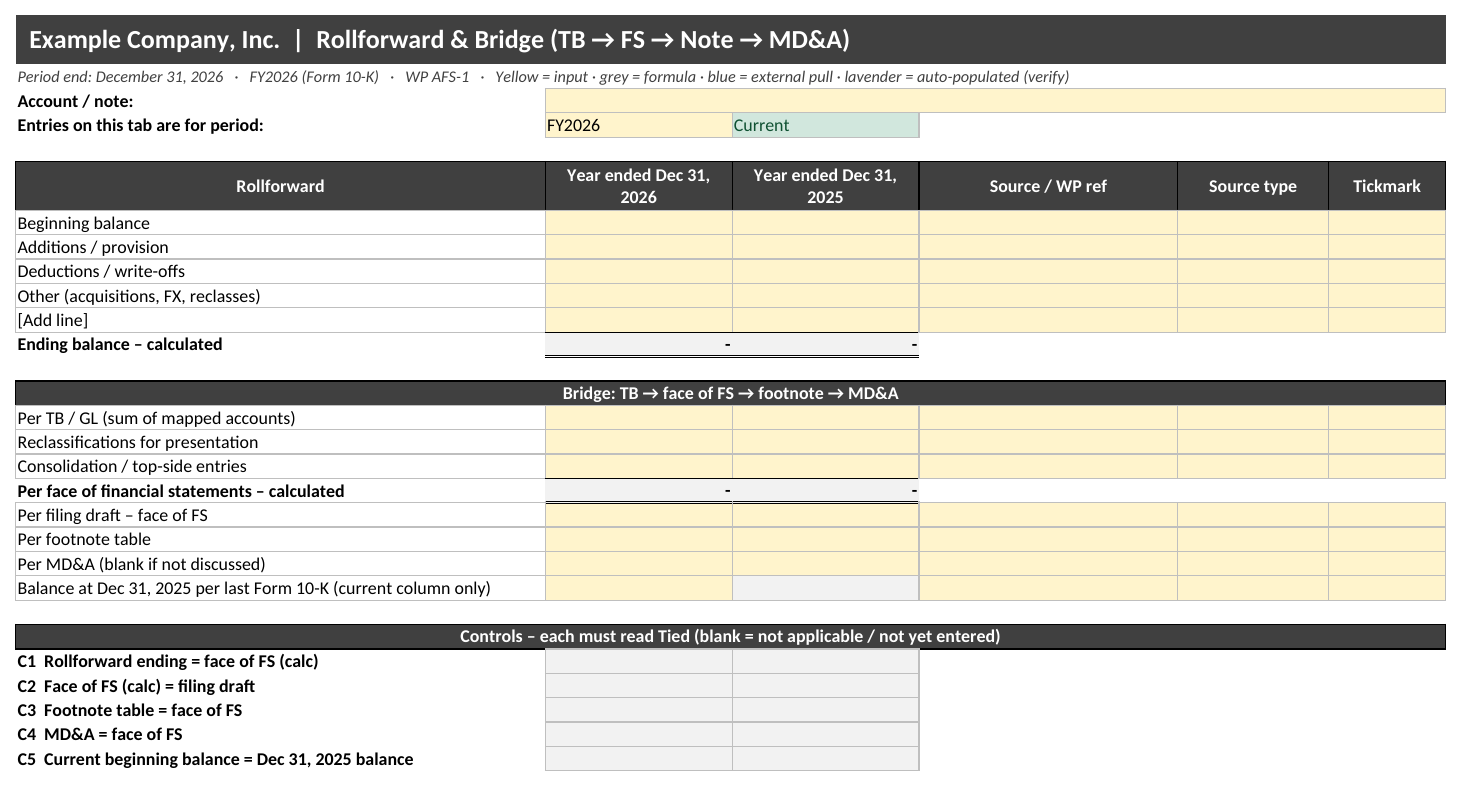
Rollforward & Bridge tab with the control checks.